
Help
Update the Memolok Plugin for Claude Chat
Which page do you need?
- Install the Memolok plugin for Claude Chat/Cowork
- Update the Memolok plugin for Claude Chat/Cowork ← this page
- Install or update the Memolok plugin for Claude Code
- Install or update the Memolok plugin for Codex
Claude told you Memolok is out of date. Updating takes about a minute, in a web browser at claude.ai. Your settings stay as they are, and so does your connection unless step 4 says otherwise.
Four Steps
Update Memolok
-
Download the
.zipfile from the latest release at github.com/Memolok/Claude-plugin/releases, under Assets. Don't unzip or rename it. -
Upload it: at claude.ai, click Customize in the side panel, then Plugins, then Add, then Upload plugin. Drop in the
.zipfile and click Upload.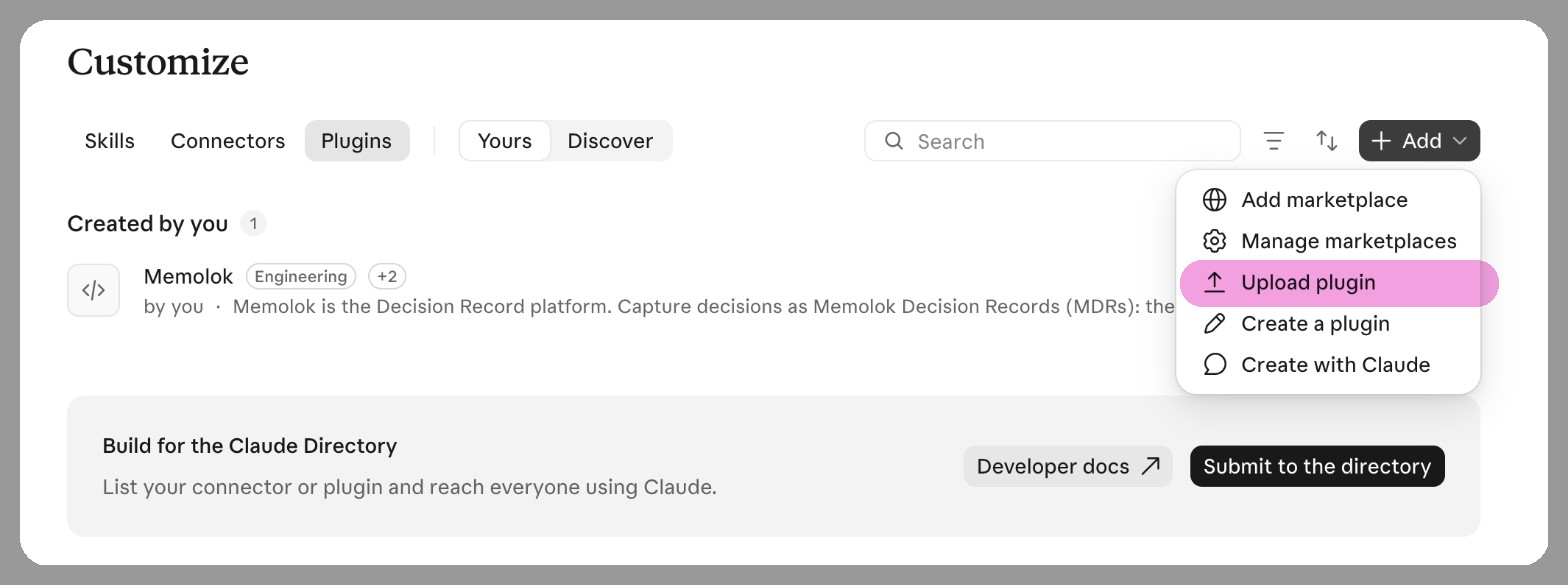
-
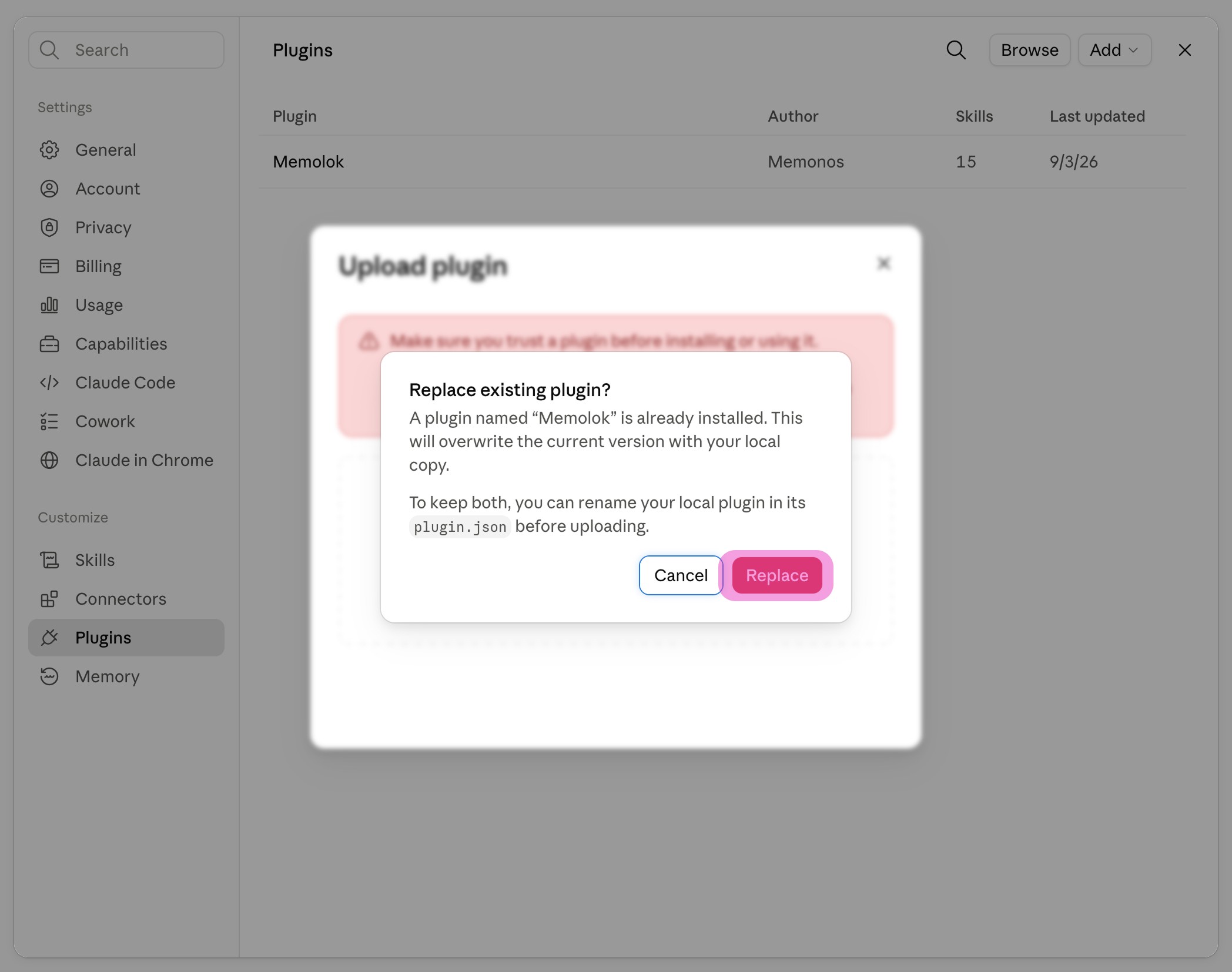
Replace: Claude asks whether to replace the Memolok you already have. Click Replace.
-
Reconnect, if needed: click the Connectors tab on Memolok's page. If a Memolok connector there still points at
https://www.memolok.ai/mcp, remove it, then click Connect next to Memolok, sign in with your Memolok email and password, and click Allow.
That's it. Memolok's page now shows the new version number under its name.
Using the Claude desktop app? Quit it and reopen it so it picks up the new version.
Common Problems
If Something Doesn't Work
| What happened | What to do |
|---|---|
| Claude didn't offer to replace Memolok | You may have renamed the .zip file. Download it again and upload it as it is |
| Claude still says Memolok is out of date | Reload the page, or restart the desktop app. Still stuck? Tell us via Contact which version Memolok's page shows |