
Help
Install the Memolok Plugin for Claude Chat
Which page do you need?
- Install the Memolok plugin for Claude Chat/Cowork ← this page
- Update the Memolok plugin for Claude Chat/Cowork
- Install or update the Memolok plugin for Claude Code
- Install or update the Memolok plugin for Codex
Three short steps, a couple of minutes, in a web browser at claude.ai. You only do this once: Memolok then works on every computer where you sign in to Claude.
Get Ready
Before You Start
- Set your Memolok password: go to www.memolok.ai/forgot-password, enter the email you registered with, and follow the link we send. Not in your inbox? Check your spam folder.
- Download the plugin: get the
.zipfile from the latest release at github.com/Memolok/Claude-plugin/releases, under Assets. Leave it as it is; don't unzip or rename it.
Step One
Add the Plugin
-
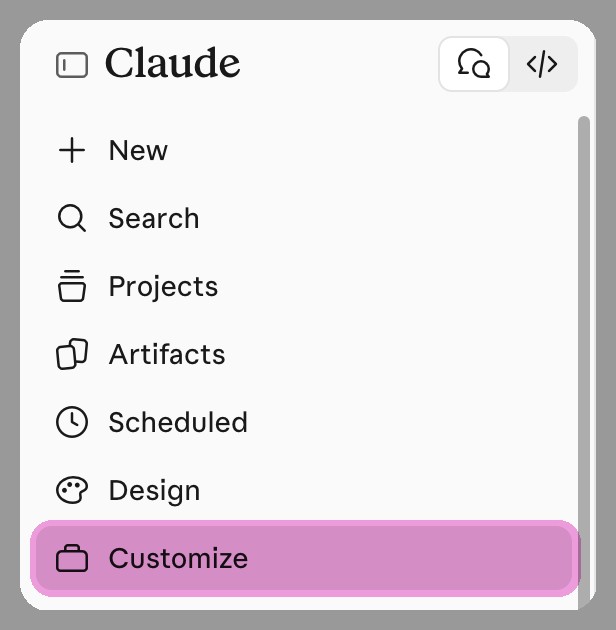
At claude.ai, click Customize in the side panel, then Plugins.
-
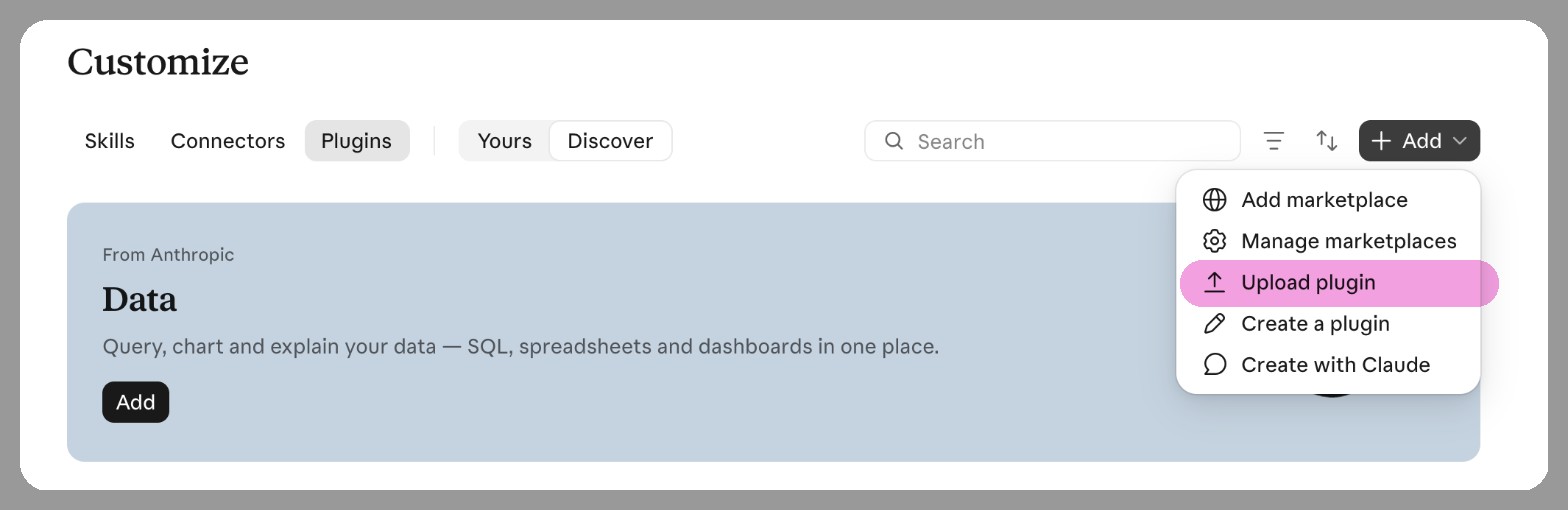
Click Add, then Upload plugin.
-
Drop in the
.zipfile and click Upload. A note says uploaded plugins aren't controlled by Anthropic: that's expected.
Step Two
Connect Your Memolok Account
Memolok's page opens on its own. If it doesn't, click Yours, then Memolok.
-
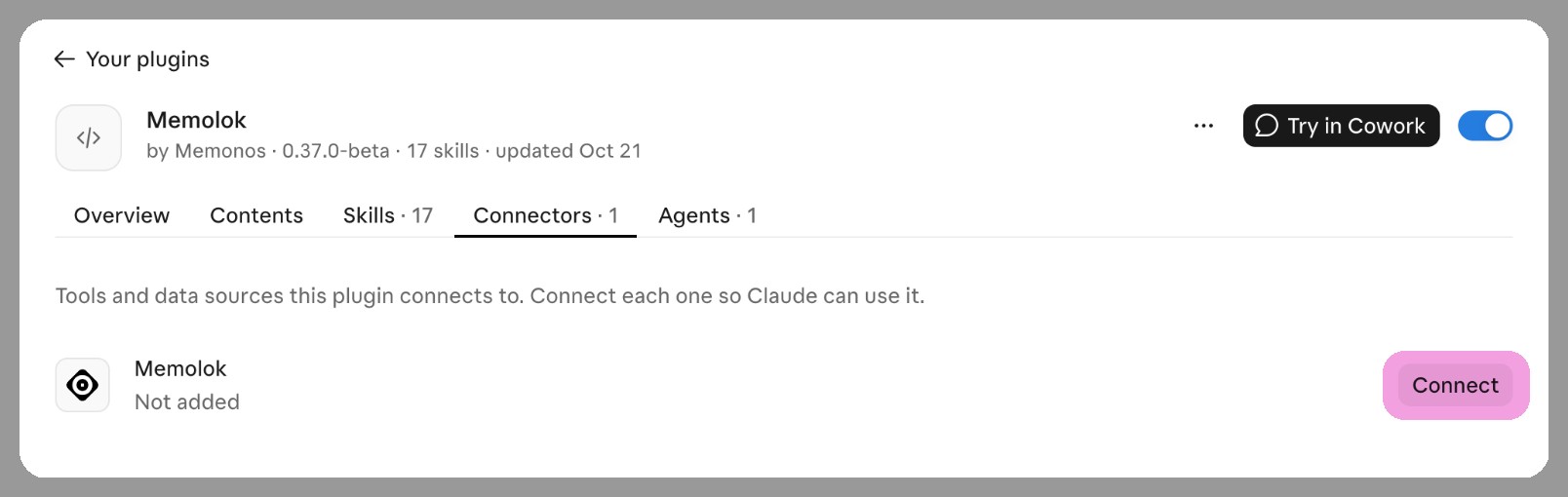
Click the Connectors tab, then Connect next to Memolok.
-
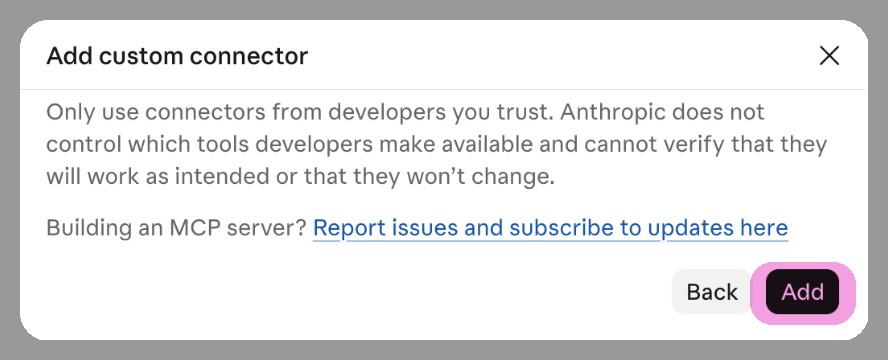
Click Continue, then Add at the bottom. Everything is already filled in, so leave it as it is.
-
Click Connect again, sign in with your Memolok email and password, and click Allow.
Memolok now shows Connected.
Step Three
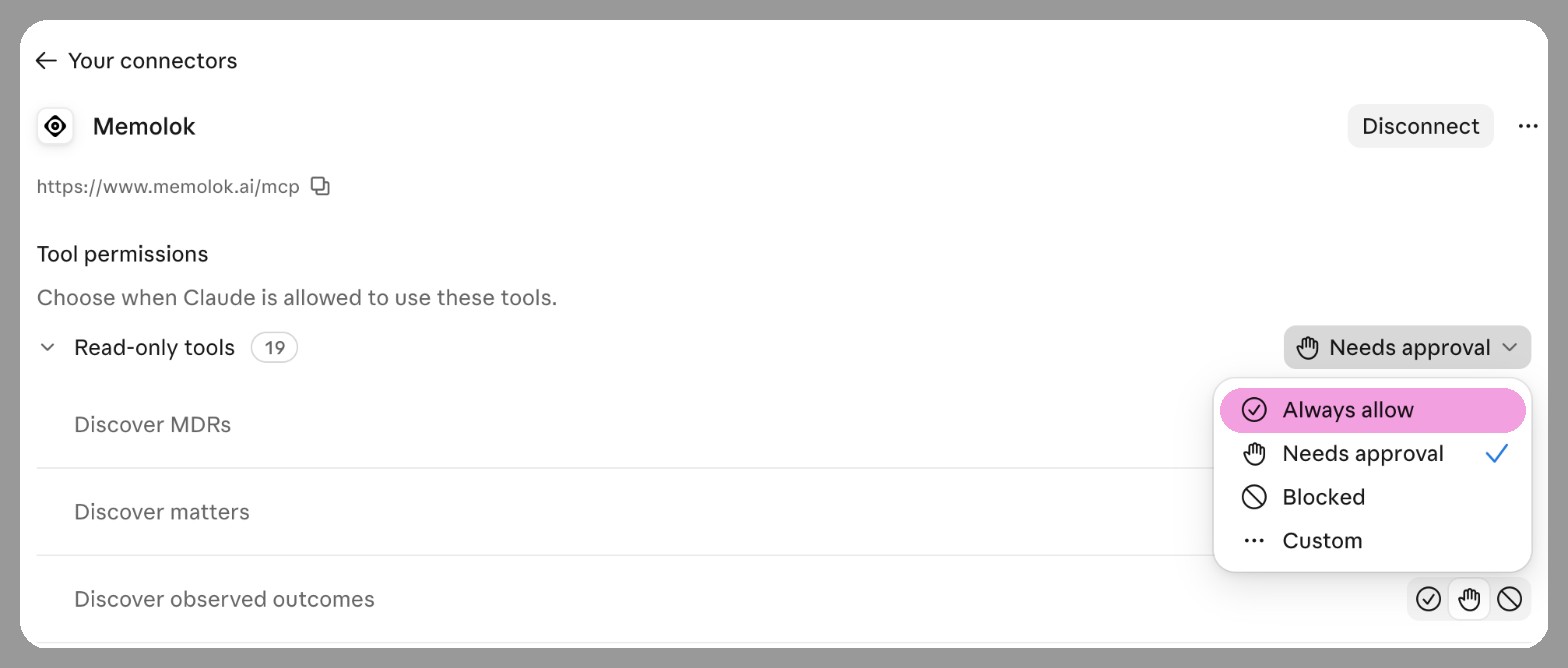
Let Memolok Read Without Asking
Click the Memolok row. Next to Read-only tools, choose Always allow. Claude still asks before it writes anything to your ledger.
All Set
You're Ready
Open a new chat and type /start. To learn what to type next, see Getting started with Memolok.
Common Problems
If Something Doesn't Work
| What happened | What to do |
|---|---|
| The upload failed | Use the .zip file exactly as downloaded, then try again |
| A message says the connector already exists | Reload the page and click Connect again |
| Your Memolok sign-in was rejected | Set a new password at www.memolok.ai/forgot-password |
| Anything else | Send us a screenshot via Contact |